
How our Power Pages consultancy works
Every engagement starts with your processes and the outcome you need from them. We map your portal users, what they need to complete, and which Dynamics 365 records each action should connect to.
That becomes a prototype you can see. The screens carry your terminology and your journeys, produced in days and easily changed to settle the design and navigation decisions early.
Once you’ve signed off our proposal, we’ll build the live site on Power Pages, test it, launch it and provide ongoing support. To ensure continuity, the people who scope your portal remain involved throughout the project.
What you get from Power Pages
Power Pages is Microsoft’s platform for building external-facing websites on the data held in Dynamics 365 and Dataverse.
Users sign in, see the records that belong to them, and complete tasks that write straight back into your system.
The low-code tools cover a good deal of standard work. Where your requirements go beyond them, our developers extend portals with integration, customisations and tailored front-end designs.
Why implement Power Pages?
Portal projects start from a specific operational problem. These are the ones organisations bring us most often.
Repetitive admin
Forms, approvals and updates people complete themselves, with records created in Dynamics 365 automatically.
Growth without headcount
Handle more applications, customers, members or suppliers without adding service resources every time volumes rise.
Fragmented data
Bring your records users need into one secure view, so no one has to phone your team to find them.
Self-service expectations
Meet expectations with online options that reduce phone and email requests.
Response Delays
Status, documents and history on screen, so nobody has to wait for someone to look them up.
Low Engagement
A reason to sign in regularly, with resources, renewals and requests in one place.
Examples of Power Pages portals
The same product supports different jobs. These are examples of what we build and what each one takes off your team.
- Managing Applications
- Self-Service Appointments
- Registration Bookings
- Customer Websites
- Partner Websites
- Membership Websites
- Supplier Portals
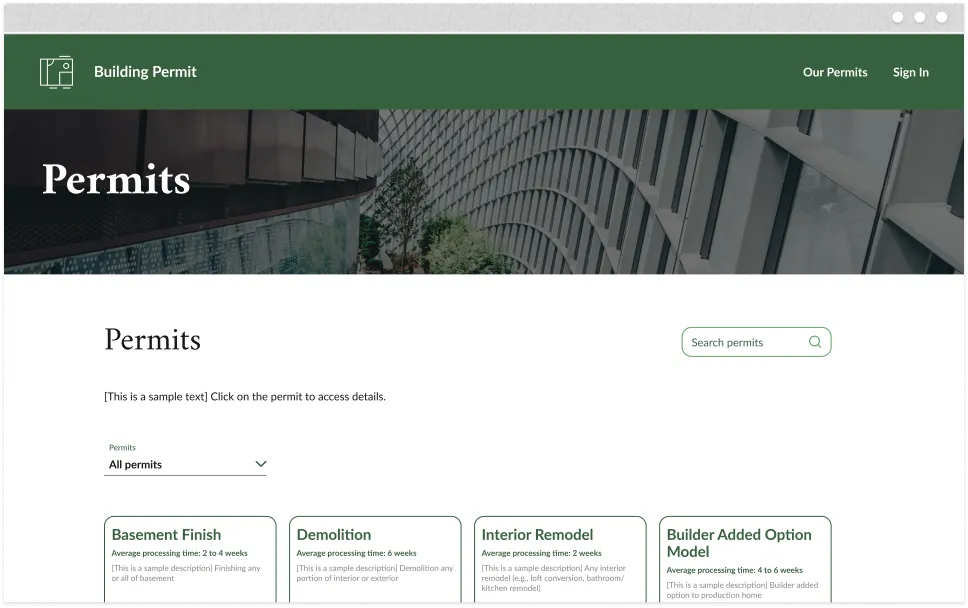
Grant, permit and membership applications through structured forms, with every submission tracked and scored in Dynamics 365.
People check availability, book and reschedule without calling, with the diary updated as they go.
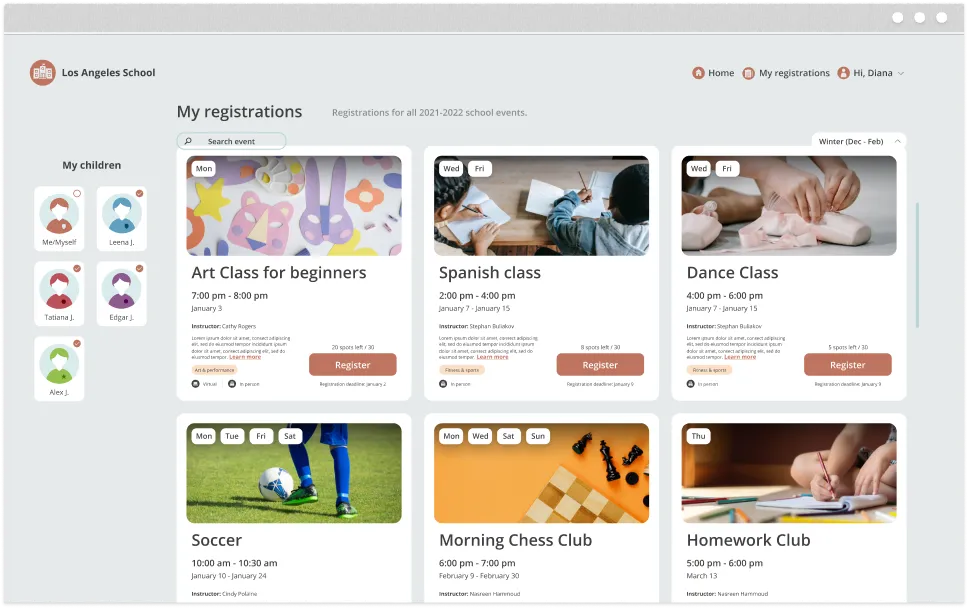
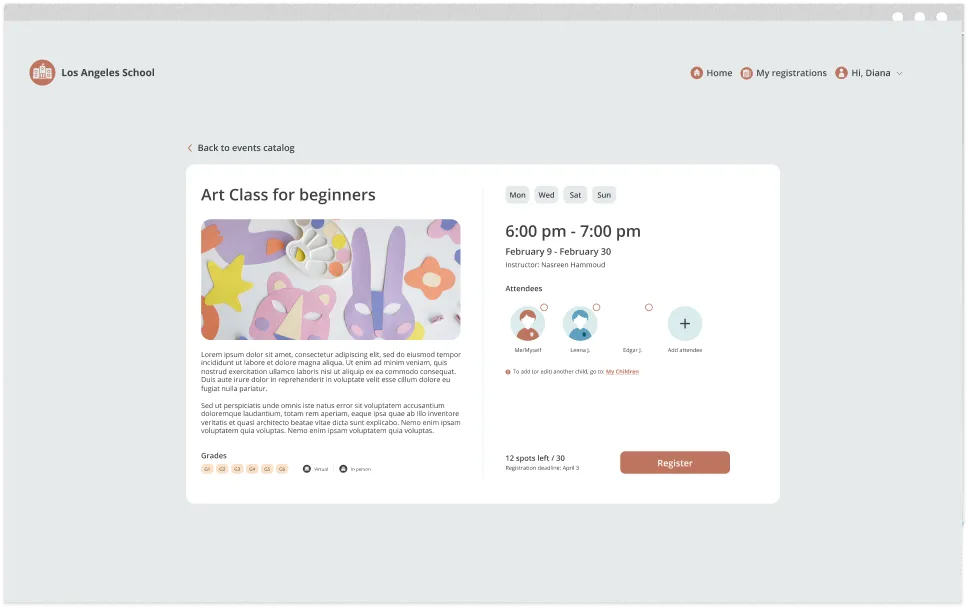
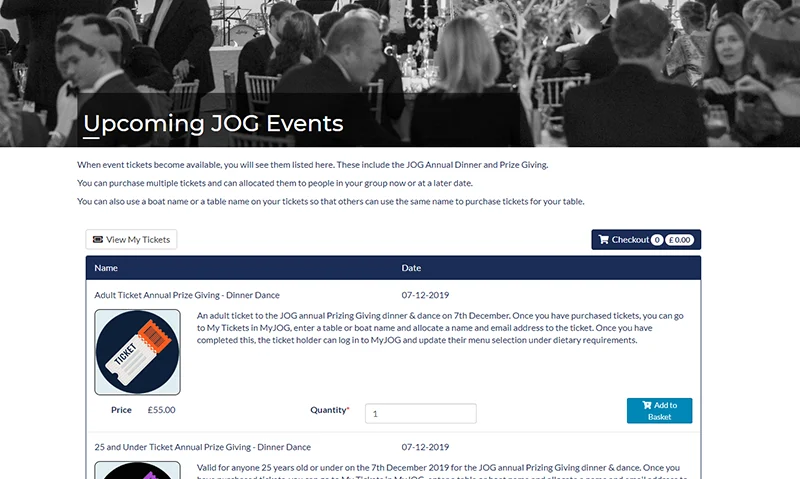
Conference and event sign-ups online, including payment, dietary details and joining instructions.
Cases, contracts, products, assets and knowledge articles in one secure hub.
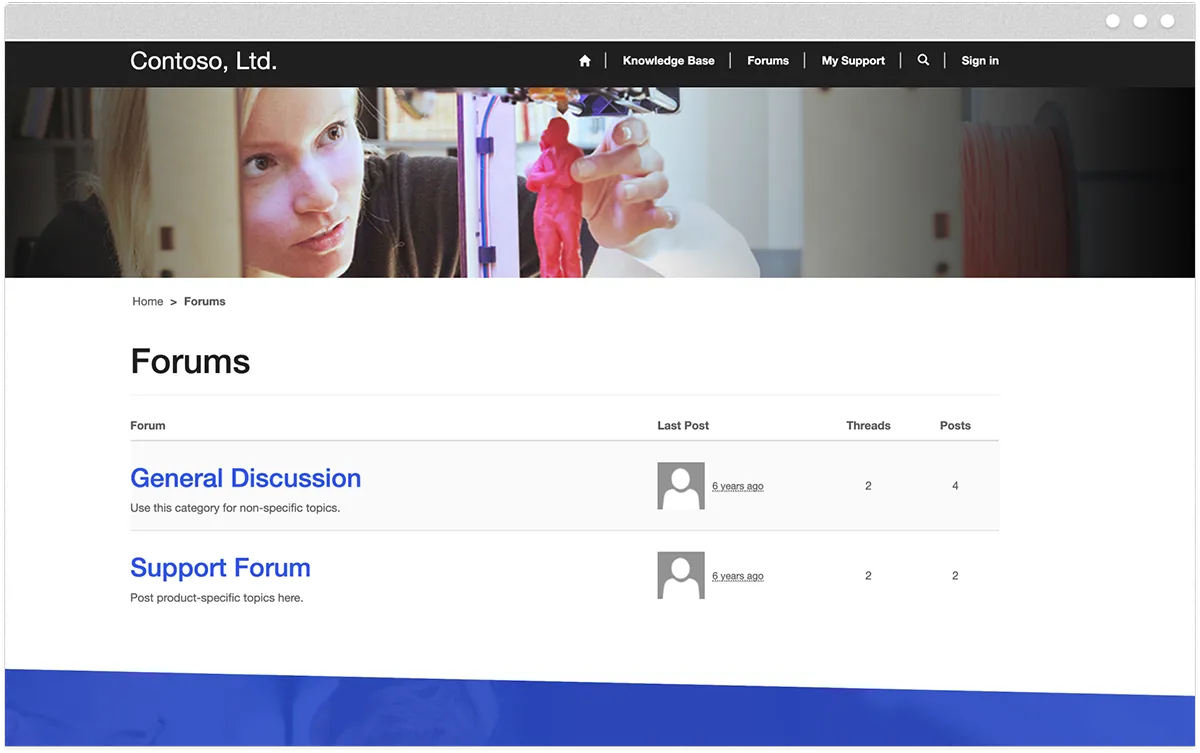
Deal registration, lead referrals, marketing materials and commissions that are visible to individual partners.
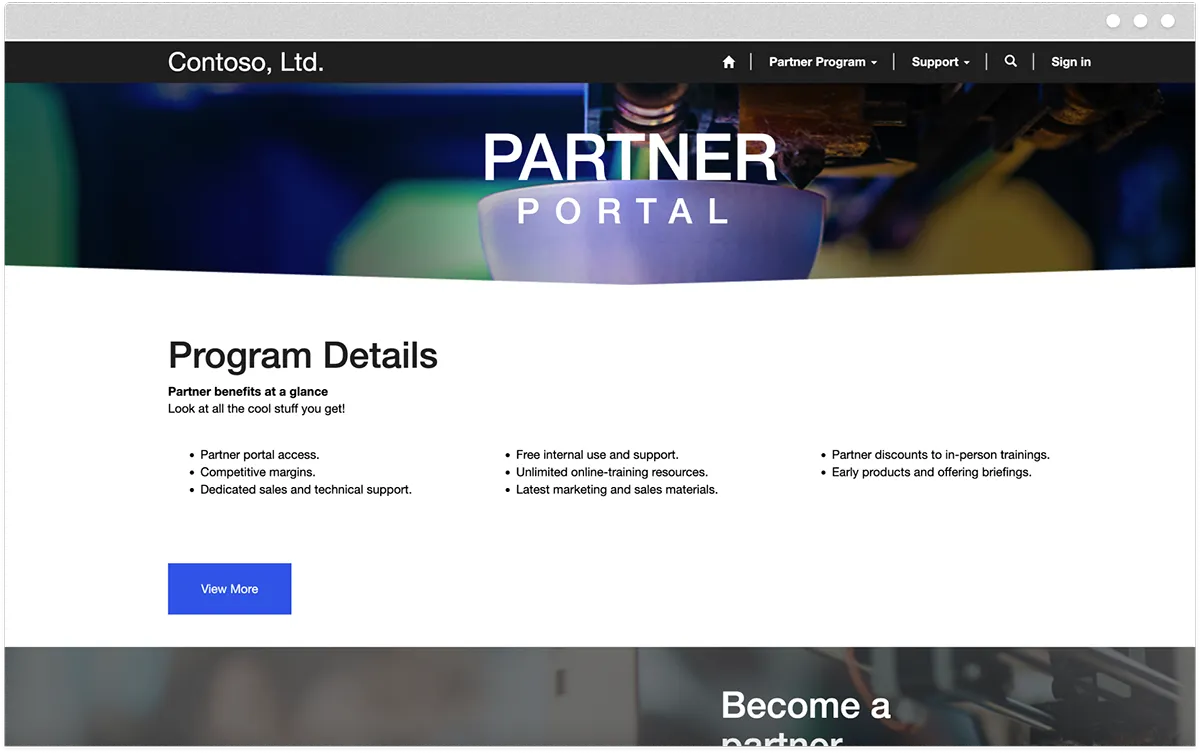
Engage members with personalised online experiences using connected data.
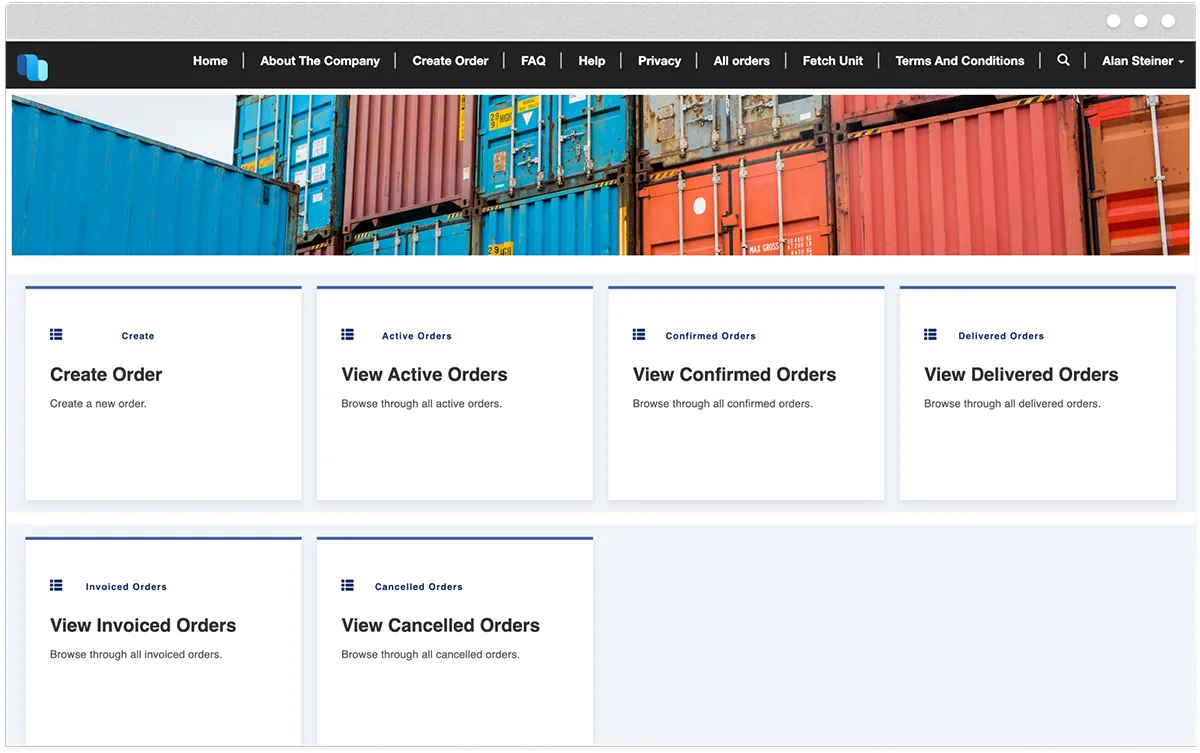
Purchase orders, delivery confirmations, invoices and certificate renewals are handled directly by suppliers.
Managing Applications
Grant, permit and membership applications through structured forms, with every submission tracked and scored in Dynamics 365.
Self-service Appointments
People check availability, book and reschedule without calling, with the diary updated as they go.
Registration Bookings
Conference and event sign-ups online, including payment, dietary details and joining instructions.
Customer Websites
Cases, contracts, products, assets and knowledge articles in one secure hub.
Partner Websites
Deal registration, lead referrals, marketing materials and commission are visible to partners.
Membership Websites
Engage members with personalised online experiences using connected data.
Vendor Portals
Purchase orders, delivery confirmations, invoices and certificate renewals are handled directly by suppliers.
Download: The Portal Advantage
A practical read on scoping and launching a portal. The guide covers which processes to move online first, the integration decisions that matter, and the outcomes to expect.
Power Pages and the Microsoft Cloud Platform
We design Power Pages websites using integration across the Microsoft Cloud to launch interactive sites powered by data.

Power BI
Embed interactive visuals in your website that allow external users to interact with your data securely.

Dynamics 365
Portal actions create and update records, so cases, contacts and applications land in your CRM as they happen.

Power Automate
Trigger automated actions from any portal interaction, with no one having to rekey information.

Power Apps
The same data and logic are extended to the internal apps your team uses to process what the portal collects.

SharePoint
Documents stored and served securely, with users seeing only the files their role allows.

Copilot Studio
Common questions can be answered in chat, with the option to raise a case if an answer can’t be found.
Demonstrating Power Pages
Portal examples showing what users see and how the Dynamics 365 records update behind it.
Power Pages FAQs
How is Power Pages licensed
Licensing runs on capacity meters for authenticated and anonymous users, with a pay-as-you-go option. Our post explores Power Pages licensing, including capacity meters and pay-as-you-go options.
How secure are Power Pages websites?
Power Pages embeds security at its core with enterprise-grade capabilities, enabling secure access to business data through comprehensive authorisation rules. It supports various authentication providers, including anonymous access options.
Most of the risk in a portal comes from how permissions are configured. Table permissions, web roles and page permissions determine what each signed-in user can access, so we review every access decision during scoping and test the results before launch.
What is the difference between Power Pages and Power Apps
Microsoft’s web portal solution was previously named Power Apps Portals, but it has since evolved into Power Pages.
Power Apps builds applications for people inside your organisation. Power Pages builds websites for people outside it, using the same Dataverse data and security model.
When should you use Power Pages?
Power Pages fits when your external users need to see or update data already held in Dataverse or Dynamics 365, and standard templates cover the interface. If your site needs heavy bespoke design or very high transaction volumes, we would talk to you about an Azure-hosted build.
Discuss Your Requirements
Tell us which process you want to move online, and we will tell you what Power Pages can handle, where it will need development work, and what a prototype would show you.